


Wharton MBA Application Timeline & Deadlines
The Wharton MBA program has three application deadlines per year with three key dates for each round: Application Deadline, Interviews, and Decision Dates. The MBA/MA Lauder and the Carey JD/MBA Program have two key dates: Application Deadline and Decision Dates. Read below for information on MBA timelines and specific deadline information.
To be considered for a round, you must submit a completed application by 5:00 p.m. Eastern Time (ET) on the day of the deadline. If you submit your application after the deadline for Rounds 1 or 2, it will be rolled into the next round. If you submit your application after the deadline for Round 3, it will not be accepted.
Interviews are by invitation only. If selected for an interview, we will contact you to arrange the interview as part of the application process. To learn more about MBA application requirements, click here.
Download your
Wharton MBA Application Guide.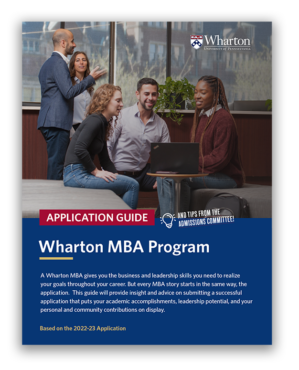
Wharton MBA Application Deadlines for 2023-2024
The Wharton MBA Application process takes place over three rounds. The Application deadlines are:
- Round 1: Wednesday, September 6, 2023 at 5:00 PM ET
- Round 2: Thursday, January 4, 2024 at 5:00 PM ET
- Round 3: Tuesday, April 2, 2024 at 5:00 PM ET
- Deferred Admissions Round: Wednesday, April 24, 2024 at 5:00 PM ET
Applicants who are invited to interview will be notified via email on the Interview Invitation dates listed below. The interview invitation email will include a link to schedule an interview, and resources to prepare for an interview.
| Application Deadline | Interview Invitations | Decisions | |
| Round 1 | September 6, 2023 | October 24, 2023 | December 14, 2023 |
| Round 2 | January 4, 2024 | February 16, 2024 | March 26, 2024 |
| Round 3 | April 2, 2024 | April 19, 2024 | May 13, 2024 |
| Deferred Admissions Round | April 24, 2024 | May 28, 2024 | June 27, 2024 |
To learn more about MBA application requirements, click here.
Integrated Joint Degree Program Application Deadlines
- Francis J. & Wm. Polk Carey JD/MBA Program applications are accepted in Round 1 and 2 only.
- MBA/MA Lauder Joint-Degree in International Studies Program applications are accepted in all 3 rounds.
When to Apply to the Wharton MBA
Below is an outline of the recommended timeline to apply to Wharton depending on if you are a first-time applicant, a reapplicant, or applying to a specific program.
First-time Applicants: We encourage you to apply to Wharton in Round 1 or 2. Space in the class becomes more limited for Round 3 applicants, resulting in a more competitive round.
Reapplicants: We strongly encourage you to apply during Round 1 or 2.
International Students: If you need to apply for a student visa to study in the United States, we recommend that you apply in Round 1 or 2. For advice and guidelines, see the International Students section in What You Need to Apply.
MBA/MA-Lauder Program: We accept applications in all 3 rounds. Space in the class becomes more limited for Round 3 applicants and is intended for Programs of Concentration that are not yet full.
Carey JD/MBA Program: We accept applications in Rounds 1 and 2 only.
Dual-Degree Programs: We accept applications in all Rounds. Unless otherwise indicated, you may apply to both programs simultaneously.
Submatriculation applicants: You should apply in Round 3 so that a more complete academic record is available.
Special Program Application Requirements
| MBA in Health Care Management | You must declare your major as Health Care Management at the time of application. |
| Wharton/SAIS | You must begin the Wharton part of the program in Pre-Term, and conferral of each degree is contingent upon completion of all requirements for the other program. |
| Wharton/Kennedy School | You must fill out applications to both schools during the first year at either school, or simultaneously before enrolling at either school. The two degrees may not be completed sequentially. |
| Wharton/Medicine | You should apply in Round 1 only if you are a current first-year student at the partner school or you plan to pursue the first year of the dual degree at Wharton. |
| Wharton/Nursing | You should apply to MBA/MSN if you are a current first-year student at the partner school or you plan to pursue the first year of the dual degree at Wharton. You must apply to the MBA/PhD program simultaneously. |
| Wharton/Veterinary Medicine | You should apply in Round 1 only if you are a current first-year student at the partner school or you plan to pursue the first year of the dual degree at Wharton. |